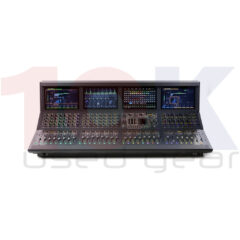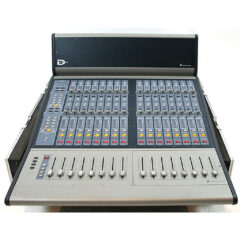
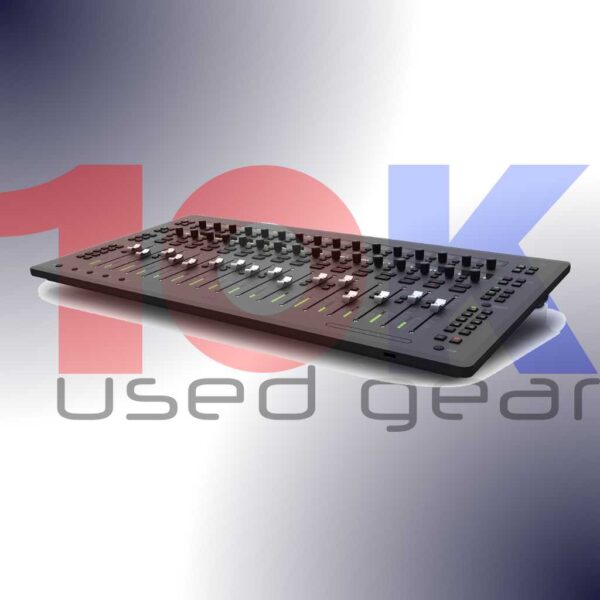
Avid S3 is a streamlined yet versatile mixing system, delivering intelligent control over every aspect of Pro Tools and other DAWs.
No listings currently in stock. This page stays live — check back or register interest.
0 listed right now — list yours to the buyers searching this model.
Get an email when a new Avid S3 is listed.
Avid S3 specifications
| Brand | Avid-Digidesign |
About the Avid S3
Avid S3
Main features and specification for Avid S3:
- Navigate sessions more easily
When using S3 with Pro Tools, the surface now fully supports ICON-favorite “Scroll to Track” and “Scroll into View” features, making it easy to scroll Pro Tools windows and bank your control surface accordingly to get to the tracks you need faster. And with the latest EUCON software, you can open and close Pro Tools Folder Tracks right from the surface, greatly speeding up session navigation. - Work faster and more flexibly
You can also now set Plug-in, Pan, and Send windows to open and close automatically whenever you select them for editing to speed things along. You can also suspend all faders from following automation, view fader values in track name displays for a custom length of time, and enable/disable all plugin automation with a surface shortcut. And when using S3 with Avid Dock and/or Avid Control, you can take full control of any EUCON-based monitoring system, including Pro Tools | MTRX, XMON, D-MON, and monitor sources in your DAW. - Bring S3 to your attention
Set how S3 reacts to actions you perform in your DAW. Simply select the behaviors and DAW areas you’d like to engage to attention in your EUCON General settings. For example, if you select “Name” to be actionable, you can click on any track name in your DAW and S3 will automatically attention that same track on its surface. Or select “Fader” and whenever you click on a fader in your software, S3 will automatically put that fader into focus. - Spill VCAs on the S3 surface
Using the Avid Control app or Avid Dock with your S3? Tap on any VCA master in the Avid Control app and its slaves will spill directly onto your S3 surface for easy access and control. When finished, simply retap the VCA master to "unspill" the tracks.
Based on the award-winning Avid S6 control surface, Avid S3 delivers intelligent control over every aspect of Pro Tools and other DAWs. All in a more portable and affordable surface. But don’t let its small size fool you. While it’s ideal for space-confined and on-the-go mixing, it packs enormous power to handle large sessions and turn around projects faster. Plus, it pairs perfectly with Avid Dock and the Avid Control app to extend your workflow further.
Get full hands on control
Gain better control over your mix whether you’re making music or sweetening soundtracks. Interact with 16 touch-sensitive, motorized faders to bring more life to your mix. Record-enable tracks right from the surface. Solo, select, and mute channels. Change automation modes. Navigate projects using the touch strip transport controls. And keep an eye on your levels with the built-in meters.
Access every aspect of your mix
View, access, and adjust multiple facets of your music or soundtrack project quickly using the 32 touch-sensitive, push-button style rotary encoders. Use the top-row channel control encoders to make changes to inputs, inserts, sends, groups, and more. Use the second row of assignable channel encoders separately to control plugins, pan, EQ, compressor, and other parameters. And view names, settings, status, channel metering, and more through the 32 OLED displays.
Plug in and record
No need to use a separate audio interface to record and monitor sessions. Avid S3 features a built-in 4-input, 6-output AVB Core Audio interface to connect your studio (Mac only). Record vocals and instrument performances through two high-quality XLR mic/line inputs and two TRS line inputs. And connect studio speakers, headphones, and other gear to four line outputs and one stereo headphone output.
Gain great mixing flexibility
Avid S3 supports EUCON, a high-speed Ethernet-based technology that enables the hardware to communicate directly with any EUCON-enabled application—and vice-versa. That means you can use it to control Pro Tools, Cubase, Nuendo, Logic Pro, and other audio software to speed and ease recording and mixing tasks. And when paired with Avid Dock and/or the free Avid Control app, you gain full monitor control capabilities, touchscreen workflows, and customizable soft keys.
Did not find what you need? Send us an enquiry
_______________________________